
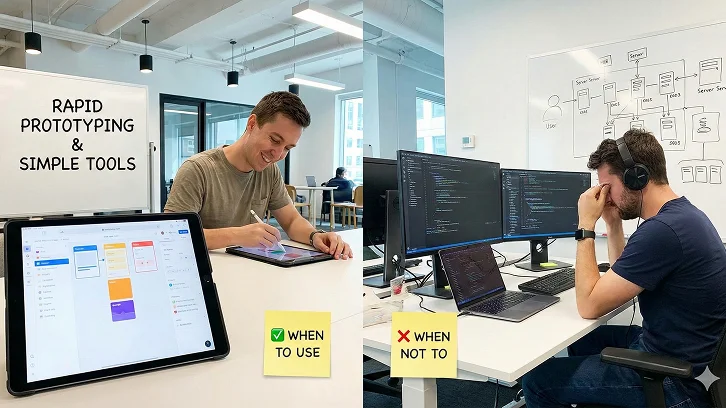
Businesses today face a constant challenge, moving fast enough to keep up with customer expectations and competition. Yet traditional app development is slow, costly, and heavily dependent on developer resources.
That’s why low-code and no-code platforms are gaining traction. They let teams build apps quickly using drag-and-drop tools and visual interfaces, often without needing to write code.
However, while they speed up innovation, they’re not ideal for every project. This guide explores how these platforms work, their pros and cons, and when to use them or when a software development company is the smarter choice.
In this blog, we’ll look into:
- What Are Low-Code and No-Code Platforms?
- Why Businesses Are Adopting Them
- Key Benefits & Use Cases
- The Limitations (When Not to Use Them)
- How to Implement a Hybrid Strategy
- Measuring ROI & Future Trends
1.What Are Low-Code and No-Code Platforms?
Low-code and no-code platforms are part of a fast-growing movement toward accelerated app development, where speed, simplicity, and accessibility take center stage.
Low-Code Platforms: A Bridge Between Coding and Automation
A low-code development platform provides visual tools, pre-built components, and minimal scripting capabilities. It is designed for developers or technically inclined professionals who want to build apps faster without writing every line of code manually. Think of it as a semi-automated construction kit: you still control the blueprint, but many of the building blocks are ready to use.
Popular examples include OutSystems, Mendix, and Microsoft Power Apps. These platforms combine customizable logic with rapid deployment features that make application delivery significantly faster and more efficient.
No-Code Platforms: Software Building for Non-Developers
No-code platforms, on the other hand, remove coding entirely. They are aimed at business users or “citizen developers” who can design workflows, applications, and databases through drag-and-drop interfaces and visual logic builders.
Platforms like Bubble, Airtable, and Zapier allow teams to automate processes and launch simple apps without any programming knowledge. Both types fall under the larger umbrella of visual development tools, designed to democratize application creation and bring innovation closer to the people who understand the problems best.
2. Why Businesses Are Adopting Low-Code/No-Code Development
The appeal of low-code and no-code solutions is clear: speed, cost-efficiency, and empowerment. Let’s unpack why business leaders are increasingly turning toward these platforms.
2.1 Faster Time-to-Market
Hiring skilled developers or outsourcing projects can be costly and time-consuming. Low-code and no-code tools reduce that dependency by letting in-house teams create solutions themselves.
While professional developers may still be needed for complex integrations or advanced logic, many business applications, such as employee portals, approval systems, or reporting dashboards, can be created internally at a fraction of the cost.
2.2 Cost-Effectiveness and Reduced Developer Dependence
Hiring skilled developers or outsourcing projects can be costly and time-consuming. Low-code and no-code tools reduce that dependency by letting in-house teams create solutions themselves.
While professional developers may still be needed for complex integrations or advanced logic, many business applications, such as employee portals, approval systems, or reporting dashboards, can be created internally at a fraction of the cost.
2.3 Empowerment Through Citizen Development
These platforms give power back to the teams closest to the challenges. Marketing, HR, and operations departments can create their own applications to automate repetitive tasks, manage data, or streamline communication, without waiting for IT availability.
This democratization of app development results in higher productivity, better collaboration, and faster innovation cycles across the organization.
2.4 Easier Maintenance and Upgrades
Since updates are managed visually, small changes or new feature additions don’t require heavy re-coding. This agility is invaluable for companies that need to evolve systems frequently in response to customer feedback or market changes.
Partner with iOSS for scalable hybrid solutions that blend low-code speed with traditional development flexibility.
Get Expert Advice.3.Key Benefits: When to Use Low-Code / No-Code Platforms
To know when these tools fit, it helps to understand what they do best.
- 3.1 Internal Workflows and Automation
If your organization relies on spreadsheets, long email threads, or manual processes, low-code and no-code tools can centralize operations and boost efficiency.
For instance, HR teams can use Airtable to automate employee onboarding, while sales teams can build a lead management app using Glide or AppSheet. These platforms shine when you need quick wins that remove repetitive tasks and streamline everyday workflows. - 3.2 Prototyping and MVP Development
Testing new business ideas often requires a quick proof of concept. Instead of commissioning a full-scale product, you can use no-code app builders to create prototypes or MVPs that demonstrate functionality.
This allows you to validate user interest and business feasibility before investing heavily in full-scale software development. - 3.3 Department-Specific or Short-Term Projects
Low-code and no-code tools are ideal for department-level applications such as dashboards, trackers, approval systems, or internal AI chatbots. They are particularly valuable for projects that do not require enterprise-level performance or scalability but still need quick deployment. - 3.4 Integration with Cloud Ecosystems
Many low-code platforms integrate seamlessly with popular CRM, ERP, and marketing automation tools, enabling business owners to unify data without complex custom APIs. This integration ensures smooth data flow and better decision-making across departments. - 3.5 Agility in a Changing Business Environment
In fast-moving markets, the ability to adjust workflows or launch a new process overnight can make a significant competitive difference. Low-code and no-code solutions enable small teams to deliver results with the speed and responsiveness of large IT departments.
4. The Limitations: When Not to Use Low-Code/No-Code Platforms
While the benefits are clear, it’s just as important to know where these tools fall short. Misuse often leads to scalability issues, security risks, or costly reworks later.
4.1 Limited Customization and Scalability
Most low-code and no-code platforms prioritize simplicity, not deep customization. If your application requires advanced data processing, complex algorithms, or real-time analytics, these tools may not suffice.
As your business expands, you might find that the platform cannot handle increased workloads or unique requirements, forcing a complete rebuild on a custom-coded system.
4.2 Vendor Lock-In
When you build on a proprietary platform, your application logic and data often stay tied to that ecosystem. Switching providers or exporting applications can be challenging, sometimes impossible, without major redevelopment.
This vendor lock-in risk means your business becomes dependent on one company’s infrastructure, pricing, and long-term support policies.
4.3 Security and Compliance Concerns
Because no-code tools allow non-technical users to create applications, security governance can easily be neglected. Without IT oversight, businesses may inadvertently create “shadow IT” systems that store sensitive data without proper compliance measures.
Industries like healthcare, banking, or government must be especially cautious, as these sectors require strict regulatory compliance that may exceed what visual builders can offer.
4.4 Performance Limitations
Applications that require heavy backend logic or frequent database queries may experience performance bottlenecks. For example, a complex analytics dashboard built on a visual platform might be slower or less responsive than one developed using full-code frameworks.
4.5 Long-Term Cost of Maintenance
Although initial setup costs are low, recurring licensing fees for enterprise-grade no-code platforms can become substantial over time. In some cases, investing in a fully custom-built application becomes more economical in the long run.
5. Best Use Cases: When Low-Code/No-Code Truly Shines
Here are practical scenarios where adopting these platforms makes perfect sense.
- Workflow Automation and Operations Management
Simplify internal processes like employee onboarding, approvals, or document tracking. Tools such as Kissflow or Zoho Creator make process automation intuitive and fast, even for non-technical teams. - Data Collection and Reporting Dashboards
Non-technical teams can create real-time dashboards that integrate with Google Sheets, CRMs, or APIs, helping businesses visualize key metrics without relying on IT departments for every update. - Customer Portals and Feedback Systems
Launch customer portals or feedback collection systems rapidly using Bubble or Webflow. These solutions help improve customer interaction while minimizing development delays. - Rapid MVPs for Startups
Startups can use no-code tools to validate ideas and demonstrate functionality to investors. It’s a low-risk way to test the market and attract funding before investing in full software development. - Industry-Specific Micro Apps
From logistics tracking to student attendance management, micro applications built using low-code platforms allow organizations to solve niche problems efficiently, without committing extensive development resources.
6. When to Avoid Low-Code/No-Code: Scenarios That Demand Custom Development
While tempting, these platforms shouldn’t replace traditional software development in every scenario.
- Highly Customized Systems:Complex ERPs, CRMs, or supply chain solutions often need deep logic that visual tools can’t handle effectively.
- Mission-Critical Applications:Software that manages sensitive or high-value data must be developed with full control over security and performance layers.
- Scalable Consumer Apps:Applications expected to serve millions of users, with unique user experiences, are better built through traditional coding frameworks.
- Integration-Heavy Environments:When your business relies on multiple APIs or legacy systems, low-code tools might not offer the flexibility required.
- Regulated Industries:Businesses in healthcare, finance, or government should maintain strict control over code, data storage, and security policies.
7. How Business Owners Can Implement a Low-Code/No-Code Strategy
Adopting these tools isn’t just a technology decision, it’s a strategic business decision.
7.1 Start with a Clear Problem Statement
Identify repetitive or manual processes that cause inefficiencies or delays. Use low-code tools for automation, data collection, and simple workflows where speed and accessibility are more important than complex logic.
7.2 Choose the Right Platform
Select platforms based on your business needs and technical landscape. Key factors include integration capabilities, data storage options, scalability, pricing model, and security compliance.
Popular options include Appian, Power Apps, Mendix, Airtable, and Bubble, each catering to different levels of technical complexity.
7.3 Define Governance and Security Policies
Establish clear governance frameworks to prevent “app sprawl.” Ensure that IT teams supervise deployment, data access, and compliance to minimize risks from unauthorized applications.
7.4 Build a Hybrid Development Model
Combine low-code or no-code tools with traditional development. Use visual platforms for the front-end or rapid prototyping, and custom development for back-end systems that demand control or scalability. This hybrid approach maximizes speed while maintaining technical integrity.
7.5 Plan for the Future
Even if a no-code app serves your short-term goals, plan a migration path. As your business scales, you may need to transition from a visual builder to a fully coded platform to meet new demands.
Prepare your organization for the future of development with iOSS – integrating AI, automation, and custom engineering into one strategic ecosystem.
Connect With Us8. The ROI Perspective: Measuring Business Value
To make data-driven decisions, evaluate your low-code or no-code adoption through measurable outcomes:
- Time Saved:How much faster are apps being built and deployed compared to traditional methods?
- Cost Efficiency:Are subscription fees more affordable than developer hours and project overhead?
- Employee Empowerment:Are teams independently solving operational challenges?
- Process Improvement:Is automation reducing manual errors and increasing accuracy?
Well-planned adoption can yield tangible ROI in months, particularly for small to mid-sized organizations seeking agility and innovation.
9. The Future of Low-Code/No-Code Development
According to recent studies, the global low-code development market is expected to surpass $65 billion by 2027, driven by digital transformation and workforce automation.
AI-assisted app builders are also gaining momentum, allowing users to create workflows or applications using natural language prompts.
However, as adoption grows, businesses must address challenges related to governance, integration, and scalability. Those that achieve a balance, empowering non-developers while maintaining IT oversight, will derive the most sustainable value.
10. Conclusion
Low-code and no-code platforms mark a pivotal change in how organizations approach technology. They empower business owners to innovate faster, reduce development costs, and enable employees to design tools that solve real operational challenges.
However, these benefits come with caveats. They are ideal for automation, internal tools, and prototypes, but not for mission-critical or highly customized applications.
In essence, they should be part of your broader digital transformation strategy, not a replacement for it.
The most effective approach is hybrid, leveraging low-code or no-code for agility and rapid development, while relying on traditional coding for scalability, security, and long-term control.
FAQs
What is the difference between low-code and no-code platforms?
Low-code platforms require minimal coding and are ideal for developers or technically skilled users, while no-code platforms allow non-technical users to build applications entirely through drag-and-drop interfaces without writing code. Both accelerate app development but cater to different skill levels.
When should my business use a low-code platform?
Use low-code platforms when you need faster development for complex applications that still require custom logic, integrations, or enterprise-level functionality. They are ideal for internal tools, dashboards, or automation that exceed the limits of no-code tools.
When is no-code the best option?
No-code platforms work best for simple applications, prototypes, MVPs, department-specific tools, and process automation. They enable citizen developers to launch solutions quickly without relying on IT teams.
Are low-code/no-code applications secure?
Security depends on platform governance and IT oversight. While many platforms provide built-in security, businesses must implement proper policies and compliance checks to avoid risks, especially when handling sensitive or regulated data.
Can low-code/no-code applications scale with my business?
They are suitable for small to mid-sized projects but may face limitations in scalability for large enterprise applications or high-traffic consumer apps. For long-term growth, a hybrid approach with custom development may be necessary.
Will using these platforms reduce development costs?
Yes, low-code/no-code tools can significantly reduce costs by minimizing the need for professional developers for simple to moderately complex applications. However, long-term licensing fees should be considered in your budget.
What are common use cases for low-code/no-code tools?
Typical use cases include workflow automation, internal dashboards, customer feedback portals, MVPs for startups, micro apps for specific departments, and data collection/reporting solutions.
How do I decide if low-code/no-code is right for my business?
Evaluate based on application complexity, scalability needs, security requirements, and integration demands. Start with low-risk projects or prototypes, define governance policies, and consider a hybrid approach for critical or large-scale systems.








Leave a comment